
Everything about how a company uses its clouds
Not a sample and not a summary someone typed up: every account, subscription and region in scope, every setting, identity, grant and commitment, read the same way each time, with the raw documents kept.
Written for the deal team, backed by every record
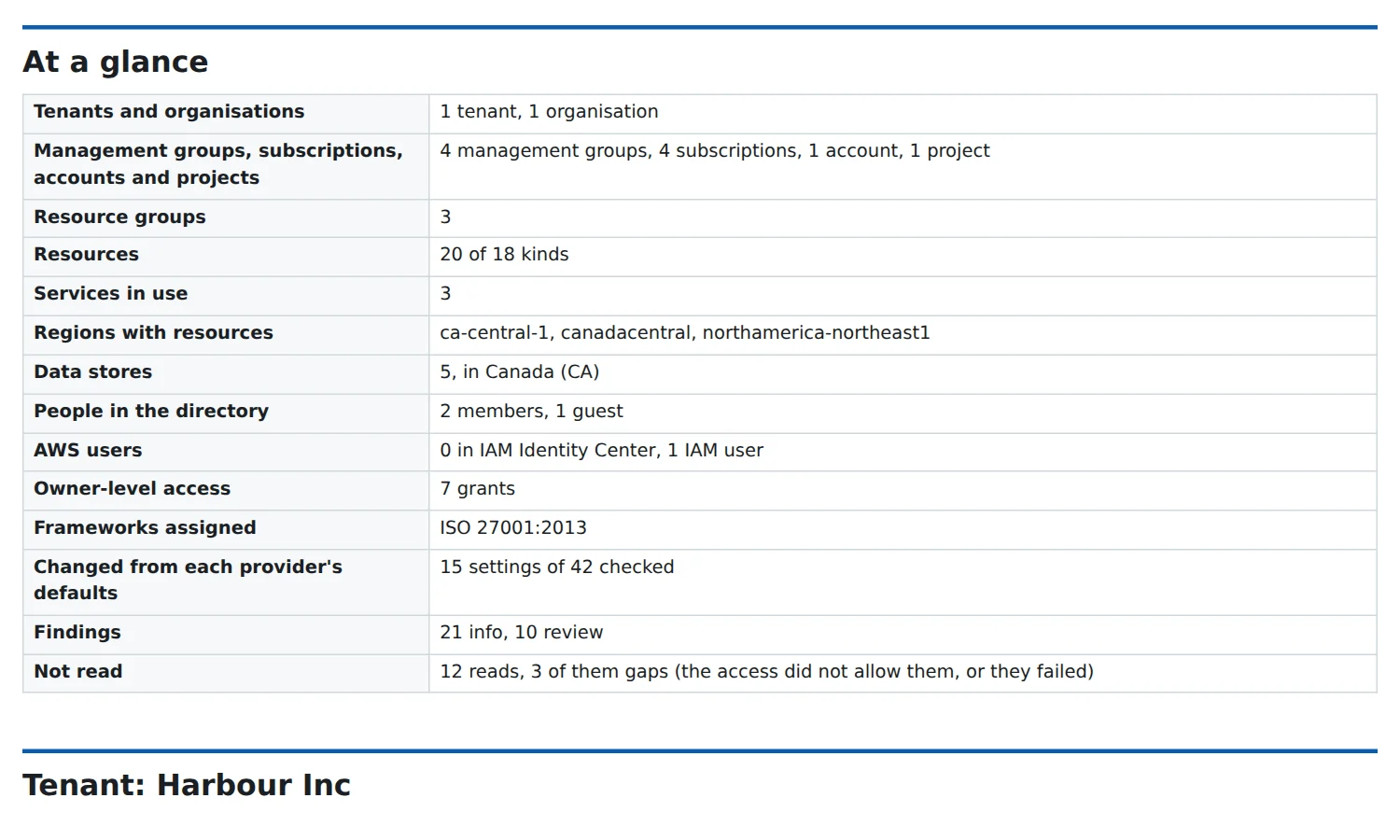
One document, in HTML or Markdown, that says what the estate is: the tenant and its domains and licences, the organisation and its guardrails, the frameworks and policies assigned, identity and access, who gets told, where the data lives and who can reach it, and every service and how it is set up.
- Settings changed from each provider's defaults, with the default and the page that documents it
- Each part per tenant, organisation, subscription, account and project
- Identity review and Microsoft 365 assessment exports from the other MNA Tools added in
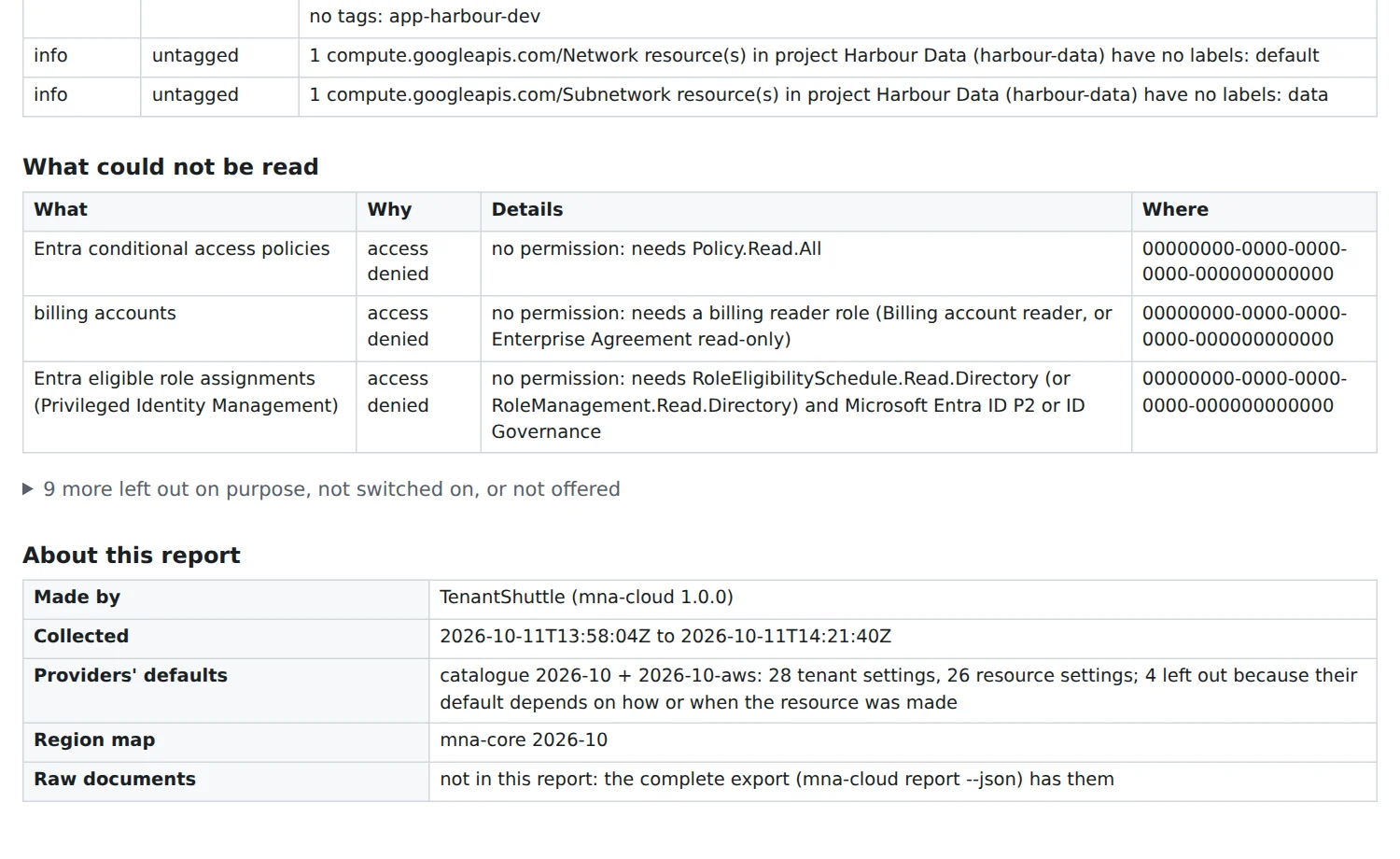
What could not be read is said once, in the right words
A list the access did not allow, a region a guardrail keeps out, a service not offered in a region and a service nobody set up are different things, and the report says which. Nothing is quietly left out, and nothing is reported as found when it was never read.
- Every gap with its reason: refused, failed, not offered or not set up
- Busy services are asked again, not counted as empty
- What the provider created by itself is kept apart from what the company built
Azure, Microsoft Entra ID and AWS, all the way down
Each cloud is read through its own management interfaces, with the access its administrators grant, and verified against a lab set up the way a customer's would be.
Microsoft Azure and Entra ID
Management groups, subscriptions and every resource's configuration; Azure Policy and its compliance; tenant settings, users, groups, applications and their permissions, role assignments and credentials; licences, domains and where the data lives.
AWS
Every account in the organisation and every enabled region. Every resource type AWS publishes a list for (1,469 of them), the organisation's units and policies, IAM, spend by service, Savings Plans, reserved capacity, Marketplace agreements and the security services switched on.
Google Cloud (preview)
Projects, folders and the organisation, with their resources, policies and access. Read today as a preview; supported once it is proven in a lab the way Azure and AWS were.
Never read: secrets and data
TenantShuttle records configuration, not content. Lists that could return a secret value are never asked for (45 resource types on AWS alone, each listed with its reason), and anything named like a read of secrets or data is refused before it is sent.
Nine destinations, capability by capability
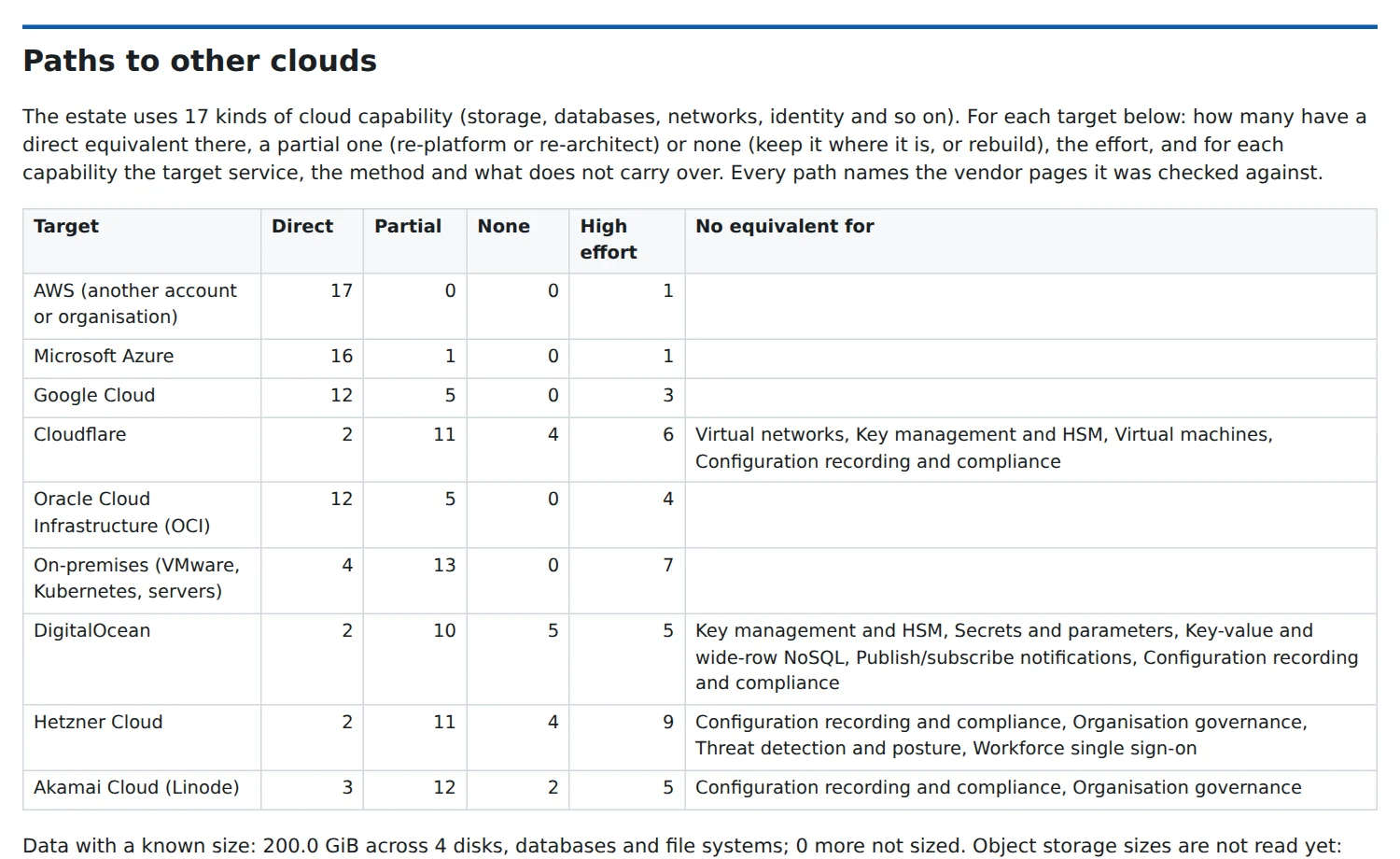
Each service in use is named by what it does (99 capabilities, from virtual machines to workforce sign-on), then matched in a catalogue for each destination: the offering, how well it fits, the approach and the tools, what carries over and what does not, the effort and the downtime.
- AWS (another account or organisation), Microsoft Azure, Google Cloud, Cloudflare, Oracle Cloud, DigitalOcean, Hetzner, Akamai and on-premises
- Every path cites the vendor pages it was checked against, and each cited page is checked to still answer
- Blockers and the capabilities a destination has no equivalent for, named up front
Compare two collections of the same estate
Every collection is a full, encrypted snapshot with its raw documents. Compare two and TenantShuttle lists what was added, removed and changed, field by field, which services started or stopped being used, and what could not be read again. Between signing and closing, it shows whether anything the deal relied on has changed; during integration, what moved, what was switched off and what appeared.
Ask for exactly what it reads, and nothing more
TenantShuttle writes the request for access: scripts the company's administrators read and run themselves, asking for read and list permissions worked out from the reads TenantShuttle actually makes. On Azure it signs in as an application, preferably with a certificate whose private key never leaves your computer; on AWS it takes on a read-only role the company creates, with an external ID.
A report for the deal team, the data for everyone else
The estate report
HTML or Markdown, readable by someone who has never opened a cloud console, with every figure traceable to what was read.
The workbook
A spreadsheet of every record, one sheet per kind: accounts, resources, settings, identities, grants, credentials, spend and gaps.
The complete export
Every raw document, for the engineers and for the other MNA Tools, encrypted with the project's key.
The access request
What to ask the company for, as scripts its administrators review and run, worked out from the reads TenantShuttle actually makes.
The paths
Readiness, blockers and effort per destination, as a report part and as data the migration planner reads.
The move plan
Every item, clash, fix and held item, before anything runs. How moves work.
See it on your deal
TenantShuttle runs on Windows (a per-user installer, no administrator rights) or as a Docker image. It is available on request.